
| accueil | produits | télécharger | acheter | support | info | FORUM | a propos |

|
|
||||||||||
|
 |
|
Freeware pages CD Bank pages
|
Ini comparator descriptionCompare and synchronize .ini (.lng) files. Ideal for updating CD Bank Cataloguer language files. Ini files comparator compare two ini .files (Windows initialization file). If some section or item from original file missed in destination file, it writes to destination file, and marks with special text. Made especially for ease the CD Bank Cataloguer Language Pack updating. Distributed as Freeware. DownloadDownload the Ini Comparator v1.0 - inicomp.zip (27 kb) How to install?Ini Comparator does not require the installation. Simple unzip and use! How to useIni comparator is ideal for translation authors. Then author get noticed about new version of CD Bank, he can read the list of interface changes and update the Language_Name.lng file manually (CD bank .lng file is just .ini file), or use the Ini comparator.
Ini comparator interface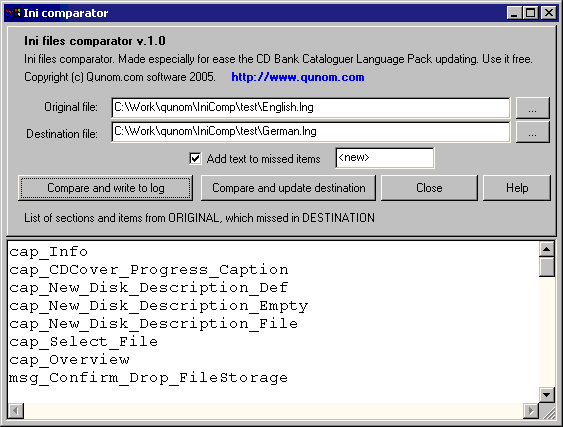 Version history
|